How AI Code Generation and LLMs Help Ship Software Faster
Learn how AI code generation and LLMs speed up software delivery with human review, better tests, safer refactors, and faster iteration across teams.
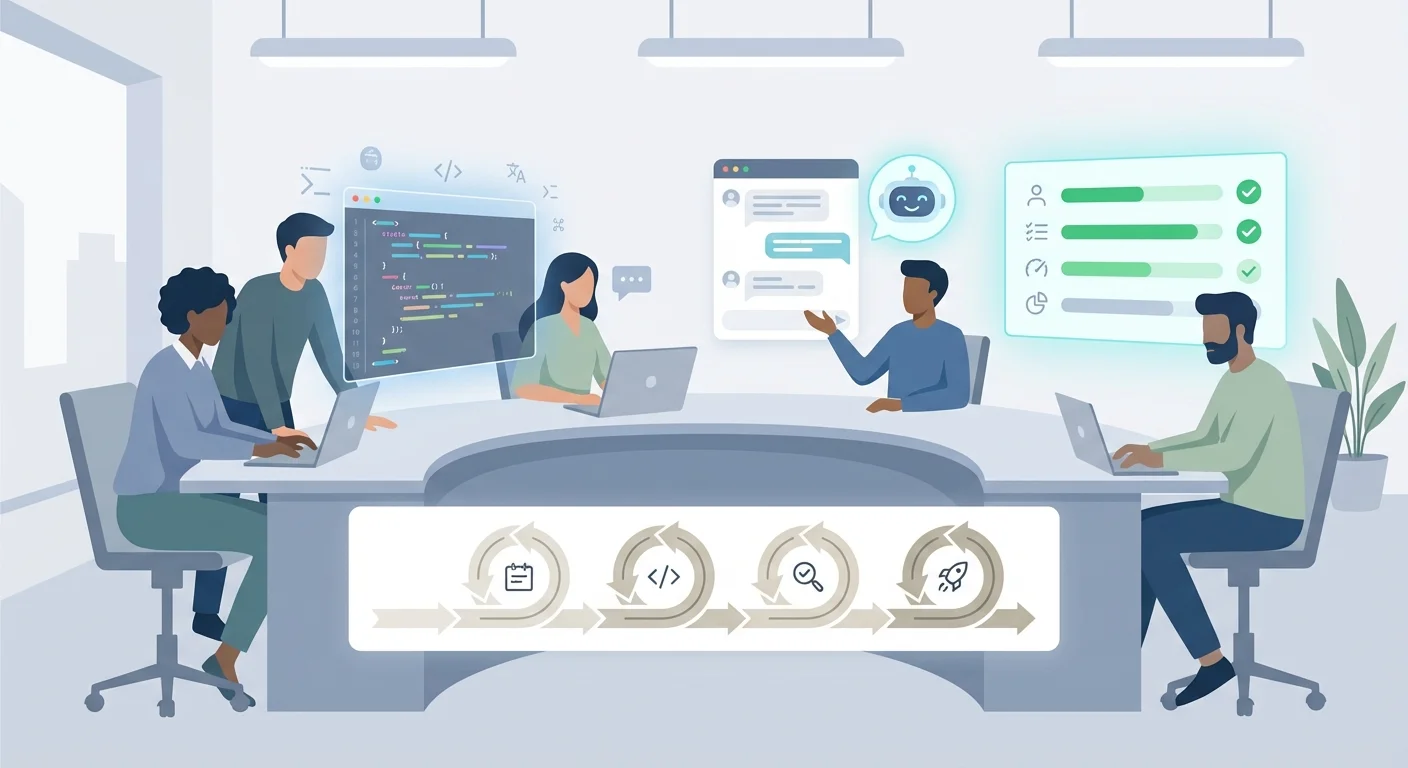
What AI Code Generation Really Means
AI code generation is an umbrella term for several capabilities that often get lumped together.
At one end, you have autocomplete: your IDE suggests the next tokens based on local context, helping you type faster but rarely changing how you approach a problem. In the middle are chat-based LLM assistants that you can ask to explain code, propose an approach, or draft an implementation. At the other end is “generation” in the stronger sense: producing working chunks of code from a structured prompt, a spec, or existing patterns—sometimes across multiple files—and then iterating until it compiles, passes tests, and matches the intended behavior.
When teams say AI makes development “faster,” it shouldn’t mean “more lines of code per hour.” The meaningful speed gains show up in delivery metrics: shorter cycle time (start to merged), reduced lead time (request to production), higher throughput (completed work per sprint), and—often most important—fewer rework loops caused by unclear requirements, missed edge cases, or inconsistent patterns.
It’s also important to set expectations. AI can accelerate implementation and reduce the mental load of routine work, but it does not remove engineering responsibility. Teams still own architecture decisions, correctness, security, maintainability, and the final sign-off. Treat AI output like a fast first draft: useful, sometimes impressive, occasionally wrong in subtle ways.
Where AI fits in a typical SDLC
AI support can show up across the software development lifecycle—not just “writing code.” In practice, teams get value in requirements (turning rough notes into testable stories), design (drafting API contracts and data models), implementation (scaffolding, boilerplate, refactors), testing (case generation and missing-assertion checks), review (summaries and risk flags), and maintenance (explaining legacy code and accelerating documentation).
The best results usually come from a human-in-the-loop workflow—where engineers guide, constrain, and validate the model.
Why Software Delivery Is Slow (and What AI Can Change)
Software delivery rarely slows down because engineers can’t type fast enough. It slows down because work moves through a chain of steps where each handoff introduces waiting, rework, and uncertainty.
Where the time actually goes
A lot of calendar time is spent in “clarify and confirm” mode: requirements that aren’t testable yet, edge cases discovered late, and back-and-forth on what “done” means. Even when the feature is understood, teams burn hours on boilerplate—wiring endpoints, creating DTOs, adding validations, setting up migrations, and duplicating patterns that already exist in the codebase.
Then comes the grind: debugging unfamiliar failures, reproducing issues across environments, and writing tests after the fact because the deadline is close. Reviews and QA add more time, especially when feedback arrives in batches and triggers multiple rounds of change.
The hidden queues that inflate lead time
What feels like “slow engineering” is often queueing: waiting for domain answers, waiting for a reviewer to get context, context switching between tickets and interrupts, and waiting for CI runs, test environments, or approvals. Even a small queue, repeated across many tickets, becomes the real schedule killer.
Why iteration loops matter more than typing speed
The biggest wins usually come from reducing the number of loops: fewer times a developer has to ask, guess, implement, get corrected, and redo. If AI shortens each loop—by helping produce clearer specs, spotting gaps early, generating focused tests, or explaining a failing stack trace—the whole delivery cycle compresses.
How LLMs Assist Developers: Strengths and Limits
Large Language Models (LLMs) help developers by predicting “what comes next” in text—whether that text is a user story, a code file, a commit message, or a test case. They don’t understand software the way an engineer does; they learn statistical patterns from large amounts of public text and code, then generate outputs that look like the most likely continuation given the prompt and context.
Where LLMs shine
Used well, LLMs act like a fast, always-available assistant for high-volume work: pattern completion (finishing a function in the surrounding style), summarization (turning a long thread or diff into a clean explanation), and translation (rewriting code between languages or frameworks).
This is why teams see immediate speedups in day-to-day tasks like drafting boilerplate, producing repetitive CRUD endpoints, generating a first pass of documentation, or turning a rough requirement into a clearer outline. The gains compound when experienced engineers continuously constrain, correct, and steer the output.
Where LLMs break down
LLMs can confidently produce incorrect code or explanations (“hallucinations”). They may assume outdated library versions, invent non-existent functions, or ignore edge cases that a domain expert would catch.
They also tend to be shallow on business context. An LLM can generate an HL7/FHIR-looking snippet, but it won’t reliably know your organization’s EMR/EHR workflows, audit requirements, or data retention rules unless you provide that context explicitly.
Treat LLM output as a draft, not a decision. The model is a generator; your team remains responsible for correctness, security, performance, and compliance.
Inputs that determine quality
The difference between “surprisingly useful” and “dangerously plausible” is often the input. Reliability improves dramatically when you provide repository context (existing patterns and constraints), clear specs (acceptance criteria and error behavior), concrete examples (payloads and expected outputs), non-functional constraints (security, performance, logging), and a definition of done (tests required, style rules, review checklist).
Speed Gains in Coding: From Scaffolding to Refactors
The fastest wins from AI code generation often show up before the “hard parts” even begin. Instead of starting from a blank file, teams can ask an LLM to draft scaffolding—endpoints, handlers, basic UI forms, configuration, and a first pass of data models. That early momentum matters in larger systems where wiring and conventions can consume days before any meaningful behavior is implemented.
A second category of speed gains comes from repetitive code that follows predictable patterns. When your team has clear conventions (naming, folder structure, error handling, logging, validation), AI can generate boilerplate that already fits the codebase. The mental model to keep is simple: treat the model like a junior developer working from your templates, not a magical source of truth.
LLMs also help turn pseudocode and acceptance criteria into a starter implementation. With clear inputs/outputs, edge cases, and example payloads, you can often get a working draft that engineers compile, run, and iteratively tighten. This is where human-in-the-loop practices pay off: a senior engineer corrects assumptions, adds invariants, and aligns the code with architectural decisions.
Refactoring is another reliable accelerator. AI can assist with safe renames, extracting functions, modernizing syntax, and suggesting clearer separation of concerns—while developers enforce guardrails (tests, type checks, linting, incremental diffs) to prevent “creative” changes from sneaking in.
Manual design decisions still dominate the highest-leverage work: choosing boundaries between services, defining data ownership, designing security and privacy controls, and deciding what must be explicit rather than generated.
Faster Requirements and Design with Better Specs
Teams rarely ship late because they type too slowly. Delays usually start earlier: fuzzy requirements, missing edge cases, and “we’ll figure it out later” decisions that turn into rework. LLMs help most when used as a spec amplifier—taking rough inputs (meeting notes, chat threads, screenshots, call transcripts) and turning them into clearer, testable artifacts that everyone can align on.
From messy notes to user stories (with edge cases)
A practical workflow is to feed the model raw notes and ask for structured user stories with acceptance criteria, assumptions, and open questions. The real time-saver is earlier edge-case discovery: the model can quickly enumerate “what happens if…” scenarios that teams would eventually uncover, just later and often after implementation.
In healthcare-related systems (EMR/EHR workflows), clarifications often involve patient identity matching, partial data entry, authorization boundaries, and audit trail expectations. An LLM can draft these as explicit behaviors so engineers aren’t guessing.
Translating plain English into API contracts and schemas
Once you have a stable story, LLMs can propose API endpoints, request/response shapes, and data schemas that reflect the spec. This is especially helpful for teams coordinating across time zones, because a written contract reduces back-and-forth.
Keep the model’s output as a draft. A human reviewer should validate naming, error handling, versioning strategy, and data ownership boundaries.
Sample payloads and datasets that unblock development
To speed up UI work, integrations, and early testing, LLMs can generate realistic example payloads (including negative cases) and small synthetic datasets that match your schema. This reduces “waiting on backend” friction and makes demos meaningful earlier.
Don’t forget non-functional requirements
LLMs are also useful for prompting teams to state quality goals up front—performance targets, privacy and data handling rules (PII/PHI boundaries and retention), auditability, reliability goals, and compliance expectations. Combined with human review, these AI-assisted specs reduce ambiguity, tighten design, and cut the rework cycle that slows delivery the most.
Testing and QA: Automating the Boring, Catching More Bugs
Testing is often where “faster shipping” quietly goes to die: repetitive setup, boilerplate assertions, and endless edge-case enumeration. LLMs can remove a lot of that drag—without replacing the discipline that makes test suites trustworthy.
From behavior descriptions to runnable tests
A practical use of AI code generation is turning a short behavior description into a test outline: what to arrange, what to act on, and what to assert. When the behavior is written clearly (even as simple acceptance criteria), an LLM can propose unit and integration test cases that match the intent, plus the fixtures you’ll likely need.
Edge cases and regression scenarios you might miss
Humans tend to test the happy path first. LLMs are good at systematically brainstorming boundary values, invalid inputs, error handling, backward-compatibility regressions, and retry/timeout behavior. Treat AI suggestions as a checklist you validate, then keep the scenarios that match your domain and risk profile.
Mocking, test data, and diagnosing failures
AI can also help with test plumbing: choosing what to mock vs. keep real, generating realistic-but-safe test data, and building reusable factories. When tests fail, an LLM can read failure output and relevant code to propose likely causes and candidate fixes—provided a developer verifies the diagnosis and confirms behavior with reruns.
Determinism is non-negotiable
Speed only counts if results are reproducible. Keep AI-assisted tests deterministic: control time, control random seeds, avoid network calls, and minimize flaky concurrency. Pair AI-generated test drafts with CI enforcement so the suite stays stable while coverage grows quickly.
AI-Assisted Code Review Without Lowering Standards
Code review is where speed often collides with quality. AI can make reviews faster—not by “approving” code, but by helping humans get to the important questions sooner.
Faster context with PR and diff summaries
When a pull request is large or touches unfamiliar areas, reviewers spend time building a mental model: what changed, why, and what might break. An LLM can summarize a diff into a short narrative (new behavior, modified APIs, deleted paths) and call out hot spots like auth flows, data validation, concurrency, or configuration. That shifts review time from scavenger hunts to judgment.
A checklist that matches your standards
Teams move faster when expectations are consistent. AI can draft a checklist tailored to the repo and change type, which reviewers then apply. In practice, keep it focused on security, reliability, performance, maintainability (including tests), and style/conventions.
Catch likely bugs early
LLMs are good at pattern recognition and often flag issues reviewers miss under time pressure: unchecked errors, missing validation on external inputs, unsafe type conversions, off-by-one logic, and null-handling edge cases. Treat these flags as hypotheses, then confirm with code reading, targeted tests, or a repro.
Accountability stays with the reviewer
AI can explain and suggest; it cannot be accountable. Second-pass verification matters—especially in regulated domains like healthcare systems—where correctness and traceability are non-negotiable.
Human-in-the-Loop: The Key to Speed and Quality
AI can write code quickly, but speed only matters if you can trust what ships. Human-in-the-loop (HITL) is the workflow that keeps quality high: the model suggests, a developer evaluates, and the team decides what becomes production.
Where AI can suggest vs. where humans must approve
A useful boundary is “drafting” versus “deciding.” LLMs are excellent at drafting: scaffolding, refactors, test cases, and explanations. Humans must own the deciding steps: confirming requirements were met, validating edge cases, and accepting the long-term maintenance cost.
This matters most at trust boundaries—places where mistakes are expensive or regulated—such as authentication/authorization, billing logic, sensitive data access layers (including healthcare records), audit logging and retention rules, secrets handling, and core business rules.
Guardrails that make AI safe to use at high speed
HITL isn’t just “someone glances at the PR.” It’s guardrails that catch subtle errors: formatting, linting, static analysis, type checks, dependency and policy checks, and CI gates.
In regulated domains, guardrails also include data handling rules: what can appear in logs, what must be encrypted, and what can never be copied into prompts.
Tracking AI contributions for accountability
To keep AI-assisted delivery auditable, track AI involvement the same way you track other engineering decisions: keep clean diffs, document rationale when changes affect trust boundaries, and require explicit approvals for high-risk modules. Where appropriate (and non-sensitive), save prompts used for routine drafting tasks so the team can reproduce decisions.
Security, Privacy, and Compliance Considerations
Speed only matters if the software you ship is safe to run and safe to maintain. AI code generation can introduce risks that look small in a pull request but become expensive in production—especially when systems handle sensitive data.
Common risks when using LLMs
The obvious concern is insecure code: skipped validation, permissive defaults, or misuse of auth libraries. Less obvious issues include dependency confusion (pulling in the wrong package or an untrusted source) and secret leakage—when keys, tokens, or connection strings end up in prompts, logs, or generated code.
In healthcare-related work (EMR/EHR-adjacent features), compliance risk also appears when the model fills gaps with assumptions that don’t match regulated workflows, audit requirements, or retention rules. Bias can creep in when AI-generated text influences triage or recommendations without clear traceability.
What you can and cannot send to an AI system
Treat prompts like a public bug report: assume they could be stored and reviewed later. That usually means no patient data, no production dumps, no private keys, and no proprietary logic pasted verbatim. If you need help on realistic examples, use redacted or synthetic data and provide the minimum context needed.
Practical mitigations that preserve speed
You can keep the productivity benefits without lowering standards by putting guardrails around usage: threat model AI-assisted features early, enforce secure coding standards with automated checks, redact sensitive fields from prompts, pin and verify dependencies, require human approval for security-critical paths, and maintain an audit trail of what was generated, what was modified, and why.
How to Adopt AI in Your Development Process (Step by Step)
Adopting AI in development works best as a process change, not a tool install. Start small, pick work that’s frequent and easy to verify, and set guardrails so the team trusts the output.
1) Start with a few high-impact use cases
Choose a few workflows where AI can save time immediately without risking core architecture decisions. Common winners include expanding test coverage, drafting one-off migration scripts, updating documentation, and helping with bug triage (summarizing logs, repro steps, and suspected root causes).
2) Create a prompting playbook your team can reuse
A shared playbook prevents “prompt lottery.” Include proven prompts per use case, the constraints that matter (framework versions, style rules, security rules), and a crisp definition of done. Treat prompts like code: version them, review changes, and iterate.
3) Measure outcomes that matter
AI adoption should improve delivery, not just increase output. Track cycle time, defect rate after release, time spent in review, and onboarding speed. Compare before/after in the same team to reduce confusion between correlation and impact.
4) Update your engineering process so AI fits cleanly
AI tends to generate larger diffs, so adjust habits: keep PRs small, set size targets, and enforce CI gates. Clarify documentation norms (what must be updated with every change) and standardize branching and release practices so AI-assisted changes don’t bypass quality controls.
5) Train non-technical stakeholders, too
Product, QA, compliance, and leadership should understand what AI can and can’t do. It accelerates drafting and exploration, but it doesn’t “understand intent” without good specs and review. Aligning on limitations and approval criteria prevents unrealistic timelines.
6) Keep humans in the loop by design
Make review mandatory for AI-assisted code, especially around security, privacy, and domain logic. The goal is to let AI accelerate the mechanical work while experienced engineers protect architecture and correctness.
Real-World Results and What to Expect from a Partner
“Months to weeks” usually isn’t magic; it’s the compound effect of removing friction across the workflow. Teams move faster with fewer handoffs, quicker iteration loops (draft–review–revise in hours instead of days), and deliberate reuse (templates and components that don’t get reinvented per feature). LLMs help most when they compress the “first 80%” of work—drafting scaffolds, generating variants, and accelerating feedback—so experienced engineers can focus on the hard 20%: architecture, edge cases, and correctness.
What faster looks like in practice
Speed gains often show up in repeatable scenarios. AI integration work can move quickly because LLMs are good at producing adapters, data-mapping code, and service wrappers that engineers then harden and test. Legacy modernization improves when the model helps translate patterns, propose refactors, and generate unit tests around existing behavior before changes are made. And in EMR/EHR-adjacent features—where workflows, audit trails, and access rules matter—LLMs can speed up documentation, acceptance criteria, and test case generation while humans ensure the requirements are interpreted safely.
What to ask a development partner
You’re not just buying “AI usage”; you’re buying a system that keeps quality high at higher speed. Ask how guardrails work (coding standards, approved libraries, prompting conventions), how review is structured (what must be human-reviewed, and by whom), and how privacy and compliance are handled (data handling, logging, access control, and change tracking). Also ask how productivity is measured without incentivizing low-quality output.
If you’re evaluating teams that build software with a human-in-the-loop approach—especially for regulated or healthcare-adjacent systems—SaaS Production is one example of a development partner that emphasizes experienced oversight alongside AI acceleration.
A practical next step
Start with a pilot: one feature slice or one module modernization. Define success metrics up front (cycle time, defect rate, test coverage, performance, and stakeholder satisfaction) and set a short timeline—often 2–4 weeks—to validate the process before scaling to a larger roadmap.
Frequently Asked Questions
What does “AI code generation” actually mean?
AI code generation ranges from simple IDE autocomplete to producing multi-file implementations from a spec and iterating until the code compiles and tests pass. In practice, it’s best treated as a fast first draft that engineers refine, validate, and ship—not an autonomous developer.
How should we measure whether AI is really making us faster?
Measure delivery outcomes, not typing speed. Useful metrics include: - Cycle time (start to merged) - Lead time (request to production) - Throughput (completed work per sprint) - Rework rate (how often you revisit the same feature) If these don’t improve, you’re likely just generating more code—not shipping faster.
Where does AI help most across the SDLC?
Common high-value spots include: - Requirements: turning rough notes into testable stories - Design: drafting API contracts and data models - Implementation: scaffolding, boilerplate, refactors - Testing: generating cases and filling missing assertions - Review: PR summaries and risk flags - Maintenance: explaining legacy code and drafting docs Teams typically get the best results when AI supports the entire workflow, not just “writing code.”
What inputs make AI-generated code more reliable?
Provide constraints and context up front: - Existing repo patterns (naming, structure, error handling) - Acceptance criteria and edge-case behavior - Example inputs/outputs (payloads, expected results) - Non-functional requirements (security, performance, logging) - Definition of done (tests required, style rules) The more “testable” your prompt is, the less rework you’ll do later.
What does a good human-in-the-loop process look like?
Use a human-in-the-loop workflow: - AI drafts code or tests - Engineer reviews assumptions and aligns with architecture - Run type checks, linting, and tests - Iterate in small diffs until behavior matches the spec Keep humans as the decision-makers for architecture, correctness, and final sign-off—especially at trust boundaries.
How can AI help with testing without creating flaky tests?
AI can generate test outlines quickly, but you need guardrails to keep the suite trustworthy: - Enforce determinism (control time, seeds, and concurrency) - Avoid real network calls in unit tests - Prefer small, reusable fixtures and factories - Treat AI suggestions as a checklist, then keep only what matches your domain risk Speed only counts if tests are reproducible in CI.
How do we use AI in code review without lowering standards?
Use AI to accelerate reviewer context, not to replace judgment: - Summarize what changed and why - Flag likely risk areas (auth, validation, concurrency, config) - Propose a change-specific checklist (security, performance, maintainability) The reviewer still owns accountability. Validate AI flags with code reading, targeted tests, or a quick repro.
What data should we never send to an AI assistant?
Assume prompts could be stored or reviewed later. Avoid including: - Secrets (API keys, tokens, connection strings) - Production dumps or proprietary datasets - Patient data or other sensitive identifiers - Proprietary business logic pasted verbatim Use redacted examples or synthetic data, and share only the minimum context needed to get a useful answer.
What’s a practical step-by-step approach to adopting AI in a dev team?
Start with low-risk, high-verifiability work: 1) Pick a few repeatable use cases (tests, docs, migrations, bug triage) 2) Create a shared prompting playbook with constraints and “done” criteria 3) Add process guardrails (small PRs, CI gates, review rules) 4) Track outcomes (cycle time, defect rate, review time) Treat adoption as a process change, not a tool install.
What should we ask a development partner about AI-assisted delivery?
Ask for specifics about their system, not just their tools: - Guardrails: coding standards, approved libraries, CI gates - Review model: what must be human-reviewed and by whom - Privacy/compliance: data handling, logging rules, auditability - Measurement: how they track speed without incentivizing low-quality output A good next step is a short pilot (often 2–4 weeks) with success metrics defined up front.